1. Difference between 'Pass by Value' and 'Pass by Reference':
- Pass by Value: A copy of the variable's value is passed. Changes made do not affect the original value.
- Example:
let x = 5;
function changeVal(y) {
  y = 10;
}
changeVal(x);
console.log(x); // Output: 5 (original remains unchanged)
- Pass by Reference: A reference (memory address) of the variable is passed. Changes affect the original value.
- Example:
let obj = { name: "Shamim" };
function changeObj(o) {
  o.name = "Akhter";
}
changeObj(obj);
console.log(obj.name); // Output: "Akhter" (original changed)
2. Difference between Pure and Impure Functions:
- Pure Functions:
- Always return the same output for the same input.
- No side effects.
- Example:
function add(a, b) {
  return a + b;
}
- Impure Functions:
- May produce different outputs for the same input.
- Cause side effects like modifying external variables.
- Example:
let total = 0;
function addImpure(a) {
  total += a;
}
3. Difference between for-in and for-of:
for-in:- Iterates over object keys.
- Use for objects or arrays (not recommended for arrays).
- Example:
let obj = { a: 1, b: 2 };
for (let key in obj) {
  console.log(key); // Output: "a", "b"
}
for-of:- Iterates over iterable values (like arrays, strings).
- Example:
let arr = [1, 2, 3];
for (let value of arr) {
  console.log(value); // Output: 1, 2, 3
}
4. Difference between call(), apply(), and bind():
call(): Invokes a function with a specificthisand arguments passed individually.
function greet(name) {
  console.log(`Hello, ${name}`);
}
greet.call(null, "Shamim");
apply(): Same ascall()but arguments are passed as an array.
greet.apply(null, ["Shamim"]);
bind(): Returns a new function with a specificthis. It doesn’t invoke the function immediately.
const boundGreet = greet.bind(null, "Shamim");
boundGreet();
5. Key Features of ES6:
letandconstfor block-scoping.- Arrow functions for concise syntax.
- Template literals for dynamic strings.
- Classes for OOP-style programming.
- Promises for async programming.
- Destructuring, default parameters, modules,
Map/Set, and more.
6. DRY, KISS, YAGNI, SOLID Principles:
- DRY: Don’t Repeat Yourself. Reuse code.
- KISS: Keep It Simple, Stupid. Write simple, clear code.
- YAGNI: You Aren’t Gonna Need It. Avoid unnecessary features.
- SOLID: Five principles for clean code:
- Single Responsibility
- Open-Closed
- Liskov Substitution
- Interface Segregation
- Dependency Inversion
7. What is Temporal Dead Zone?
- The period between declaring a
let/constvariable and its initialization. - Accessing the variable in this zone throws a
ReferenceError.
console.log(a); // Error
let a = 5;
8. Ways to Create Objects in JavaScript:
- Object literal:
{}. new Object().- Constructor functions.
Object.create().- ES6 classes.
9. Difference Between Object.keys, Object.values, and Object.entries:
Object.keys: Returns array of keys.Object.values: Returns array of values.Object.entries: Returns array of[key, value]pairs.
10. Difference Between Object.freeze() vs Object.seal():
Object.freeze(): Prevents adding, removing, or modifying properties.Object.seal(): Prevents adding or removing properties but allows modification of existing ones.
11. What is a Polyfill in JavaScript?
- A polyfill is code that provides modern features to older environments where they are not supported.
- Example: Adding
Array.prototype.includes()for older browsers.
12. What is a Generator Function in JavaScript?
- A function that can pause execution and resume later using
yield.
function* gen() {
  yield 1;
  yield 2;
}
const it = gen();
console.log(it.next().value); // Output: 1
13. What is Prototype in JavaScript?
- Every object has a
prototypefor inheritance. Methods and properties of the prototype are shared by all instances.
14. What is IIFE (Immediately Invoked Function Expression)?
- A function that runs immediately after being defined.
(function () {
  console.log("IIFE runs immediately!");
})();
15. What is CORS (Cross-Origin Resource Sharing)?
- A security feature that restricts resource sharing between different domains unless explicitly allowed by the server.
- Real-life Example: A frontend React app fetching data from a backend API hosted on another domain.
app.use((req, res, next) => {
  res.setHeader("Access-Control-Allow-Origin", "*");
  next();
});
20. Different Data Types in JavaScript:
JavaScript has the following data types:
- Primitive Types:
String(e.g.,"hello")Number(e.g.,42,3.14)Boolean(e.g.,true,false)Undefined(a variable declared but not assigned a value)Null(explicitly no value)Symbol(unique, immutable value)BigInt(for integers larger thanNumber.MAX_SAFE_INTEGER)- Non-Primitive Types:
Object(e.g.,{},[], functions)
21. Difference between TypeScript and JavaScript:
- JavaScript:
- Dynamic, loosely typed.
- No type checking at compile time.
- TypeScript:
- Superset of JavaScript with static typing.
- Type errors caught during compile time.
- Example:
let x: number = 5; // TypeScript
x = "hello"; // Error
22. Authentication vs Authorization:
- Authentication: Verifying a user's identity (e.g., login).
- Authorization: Checking user's permissions to access resources (e.g., admin privileges).
- Example:
- Authentication: User enters username and password.
- Authorization: Admin can delete users; regular users cannot.
23. Difference Between null and undefined:
null: Intentional absence of any value (assigned explicitly).undefined: Variable declared but not assigned a value.- Example:
let a = null; // a is null
let b;        // b is undefined
24. Output of 3 + 2 + "7":
- Output:
"57" - Explanation:
3 + 2is5(number addition). Then5 + "7"is string concatenation, resulting in"57".
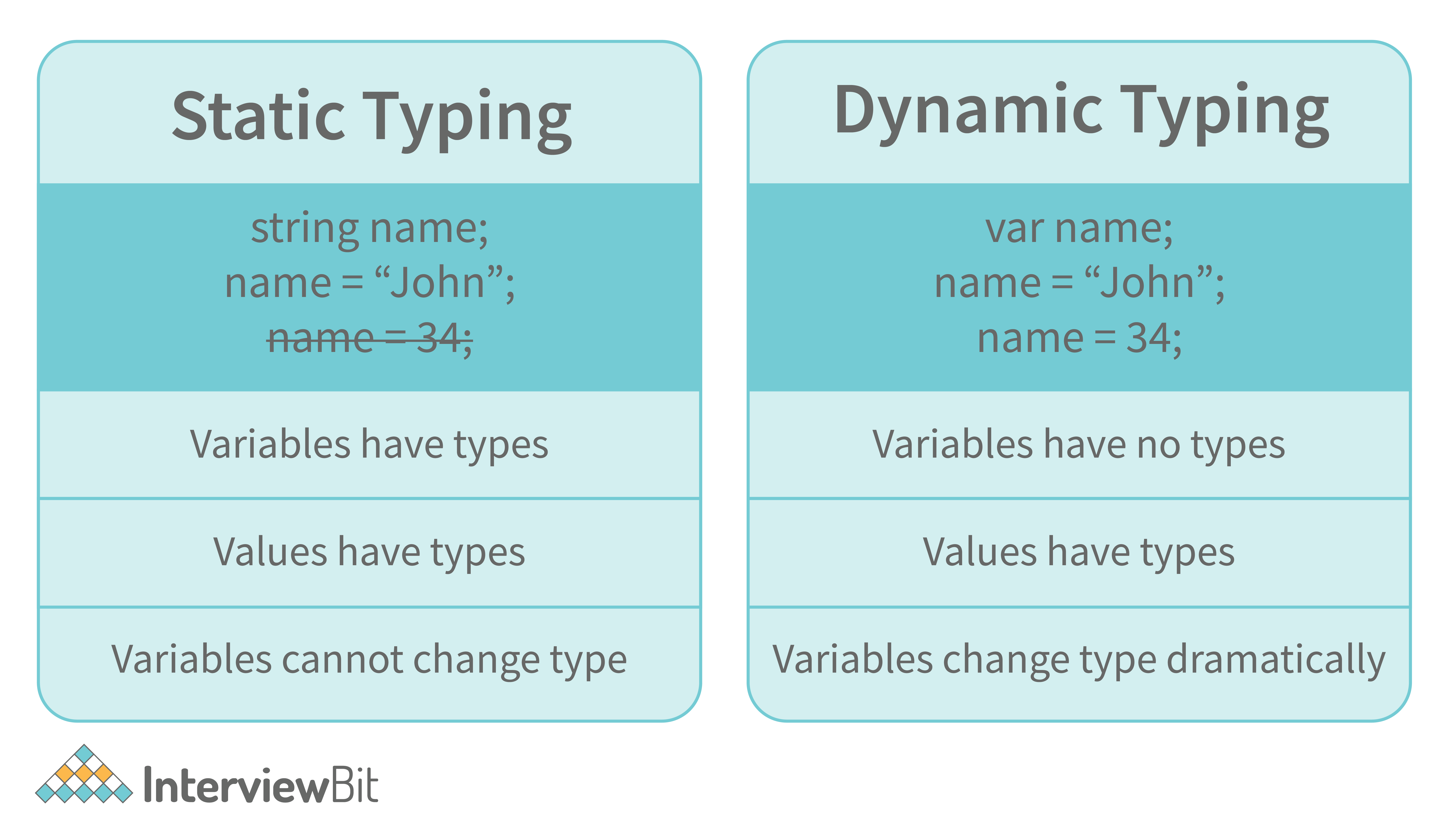
25. Is JavaScript Dynamically or Statically Typed?
- JavaScript is dynamically typed, meaning variables can hold different types of values without specifying the type.
let x = 5;
x = "hello"; // Allowed
26. Difference Between IndexedDB and SessionStorage:
- IndexedDB:
- Used for large amounts of structured data.
- Supports transactions and querying.
- Persistent storage.
- SessionStorage:
- Stores key-value pairs.
- Data exists only for the session (until the tab is closed).
27. What are Interceptors?
- Functions used to intercept requests/responses in APIs (e.g., Axios interceptors).
- Use case: Adding headers, logging, error handling.
axios.interceptors.request.use(config => {
  config.headers.Authorization = "Bearer token";
  return config;
});
28. What is a Call Stack in JavaScript?
- A stack data structure that tracks function execution.
- Last-in, first-out (LIFO).
- Example:
function a() { b(); }
function b() { console.log("Hello"); }
a();
a()→b()→console.log()are added and removed from the stack.
29. Differences Between Promise.all, allSettled, any, race:
Promise.all: Resolves when all promises resolve; rejects if any fail.Promise.allSettled: Resolves when all promises settle (resolve/reject).Promise.any: Resolves with the first resolved promise; rejects if all fail.Promise.race: Resolves/rejects with the first settled promise.
30. Limitations of Arrow Functions:
- No
thisbinding:thisdepends on the outer scope. - Cannot be used as constructors (
newkeyword). - No
argumentsobject.
31. Difference Between find and findIndex:
find: Returns the first matching element.findIndex: Returns the index of the first matching element.- Example:
let arr = [1, 2, 3, 4];
console.log(arr.find(x => x > 2));       // Output: 3
console.log(arr.findIndex(x => x > 2)); // Output: 2
32. What is Tree Shaking in JavaScript?
- A technique to remove unused code during the build process.
- Works with ES6 modules (
import/export). - Example:
// utils.js
export function used() {}
export function unused() {}
// main.js
import { used } from "./utils.js"; // `unused` will be removed by tree shaking
46. What is eval()?
eval()is a function in JavaScript that executes a string as code.- Example:
let code = "console.log(2 + 3)";
eval(code); // Output: 5
- Note: Avoid using
eval()as it can be a security risk and harm performance.
47. Difference Between Shallow Copy and Deep Copy
- Shallow Copy:
- Copies only the first level of the object.
- Nested objects are referenced, not copied.
- Example:
let obj = { a: 1, b: { c: 2 } };
let shallowCopy = { ...obj };
shallowCopy.b.c = 10;
console.log(obj.b.c); // Output: 10
- Deep Copy:
- Copies all levels of the object, including nested objects.
- No references are shared.
- Example:
let deepCopy = JSON.parse(JSON.stringify(obj));
deepCopy.b.c = 20;
console.log(obj.b.c); // Output: 10
48. Difference Between Undeclared and Undefined Variables
- Undeclared: Variable has not been declared in the scope.
- Example:
console.log(x); // ReferenceError: x is not defined
- Undefined: Variable is declared but not assigned a value.
- Example:
let y;
console.log(y); // Output: undefined
49. What is Event Bubbling?
- Event starts from the target element and bubbles up to its ancestors.
- Example:
<div onclick="console.log('Div clicked')">
  <button onclick="console.log('Button clicked')">Click Me</button>
</div>
- Clicking the button will log:
Button clicked
Div clicked
50. What is Event Capturing?
- Event starts from the outermost ancestor and moves to the target element.
- Use
{ capture: true }inaddEventListener. - Example:
document.querySelector("div").addEventListener("click", () => console.log("Div"), { capture: true });
51. What are Cookies?
- Small pieces of data stored in the browser, sent with every HTTP request.
- Used for session management, authentication, and preferences.
- Example:
document.cookie = "username=JohnDoe; expires=Fri, 31 Dec 2024 12:00:00 UTC";
52. typeof Operator
- Determines the type of a variable.
- Example:
console.log(typeof 42);        // "number"
console.log(typeof "hello");  // "string"
console.log(typeof null);     // "object" (quirk)
console.log(typeof undefined);// "undefined"
53. What is this in JavaScript and How it Behaves in Various Scenarios?
- Refers to the object it belongs to.
- Behavior:
- Global Scope: Refers to the global object (
windowin browsers).
console.log(this); // Window
- Object Method: Refers to the object calling the method.
let obj = { name: "John", sayName() { console.log(this.name); } };
obj.sayName(); // "John"
- Arrow Function: Does not have its own
this; inherits from the surrounding context.
let obj = { name: "John", sayName: () => console.log(this) };
obj.sayName(); // Window (global object)
54. How to Optimize the Performance of an Application
- Minimize HTTP requests using bundling and lazy loading.
- Use caching and Content Delivery Networks (CDNs).
- Optimize images (compress them).
- Use efficient algorithms and data structures.
- Minimize DOM manipulation.
- Enable gzip compression.
- Avoid memory leaks.
55. What is Meant by Debouncing and Throttling?
- Debouncing: Ensures a function is executed only after a certain delay since the last call.
- Example: A search bar executes API calls only after the user stops typing for 300ms.
function debounce(fn, delay) {
  let timer;
  return function (...args) {
    clearTimeout(timer);
    timer = setTimeout(() => fn.apply(this, args), delay);
  };
}
- Throttling: Ensures a function is executed at most once in a specified time interval.
- Example: Handling scroll events to update UI every 200ms.
function throttle(fn, limit) {
  let lastCall = 0;
  return function (...args) {
    const now = Date.now();
    if (now - lastCall >= limit) {
      lastCall = now;
      fn.apply(this, args);
    }
  };
}
1. How Would You Implement a Deep Clone of an Object Without Using Libraries?
- A deep clone creates a complete copy of an object, including nested objects.
- Implementation:
function deepClone(obj) {
  if (obj === null || typeof obj !== "object") return obj;
  const clone = Array.isArray(obj) ? [] : {};
  for (const key in obj) {
    if (obj.hasOwnProperty(key)) {
      clone[key] = deepClone(obj[key]);
    }
  }
  return clone;
}
// Example
const obj = { a: 1, b: { c: 2 } };
const clonedObj = deepClone(obj);
console.log(clonedObj); // { a: 1, b: { c: 2 } }
2. How Do You Reduce the Size of a JavaScript Bundle?
- Code Splitting: Split the code into smaller chunks.
- Tree Shaking: Remove unused code.
- Minification: Use tools like Terser to reduce file size.
- Lazy Loading: Load modules only when needed.
- Remove Dead Code: Ensure the codebase is clean and optimized.
- Use a CDN: Deliver files faster to users.
3. What Are the Benefits of Using a Content Delivery Network (CDN)?
- Faster Load Times: Servers are geographically distributed, delivering content from the nearest server.
- Reduced Latency: Improves response times.
- Reliability: Reduces downtime by distributing the load.
- Scalability: Handles high traffic efficiently.
- Bandwidth Savings: Caches static resources, reducing server load.
4. How Do You Optimize CSS Delivery?
- Minimize CSS with tools like CSSNano.
- Use critical CSS to load above-the-fold content first.
- Inline small CSS for faster initial rendering.
- Load non-critical CSS asynchronously using
mediaorrel="preload". - Remove unused CSS with tools like PurifyCSS.
5. What Is Caching, and How Does It Improve Performance?
- Caching: Storing data temporarily for faster future access.
- Improves performance by reducing the need to fetch data from the server repeatedly.
- Example:
- Browser Cache: Stores static files like CSS, JS, and images.
- Server Cache: Stores processed data for repeated requests.
6. What Are Critical Rendering Paths?
- The steps the browser takes to convert HTML, CSS, and JS into pixels on the screen.
- Includes:
- Parsing HTML to build the DOM.
- Parsing CSS to build the CSSOM.
- Combining DOM and CSSOM into the Render Tree.
- Layout and Painting.
- Optimizing these steps improves page load performance.
7. How Do You Optimize for Time to First Byte (TTFB)?
- TTFB: Time it takes for the browser to receive the first byte of data from the server.
- Optimization Strategies:
- Use a CDN to serve content closer to the user.
- Optimize server-side code and database queries.
- Enable server-side caching.
- Use HTTP/2 for faster connections.
8. How Do Service Workers Improve Web Performance?
- Service Workers: JavaScript files running in the background to handle network requests.
- Benefits:
- Offline Support: Cache resources to provide offline functionality.
- Faster Loading: Serve cached files for repeat visits.
- Reduced Server Load: Avoid redundant requests by caching data.
- Example:
self.addEventListener("install", event => {
  event.waitUntil(
    caches.open("my-cache").then(cache => cache.addAll(["/index.html", "/style.css"]))
  );
});
self.addEventListener("fetch", event => {
  event.respondWith(
    caches.match(event.request).then(response => response || fetch(event.request))
  );
});