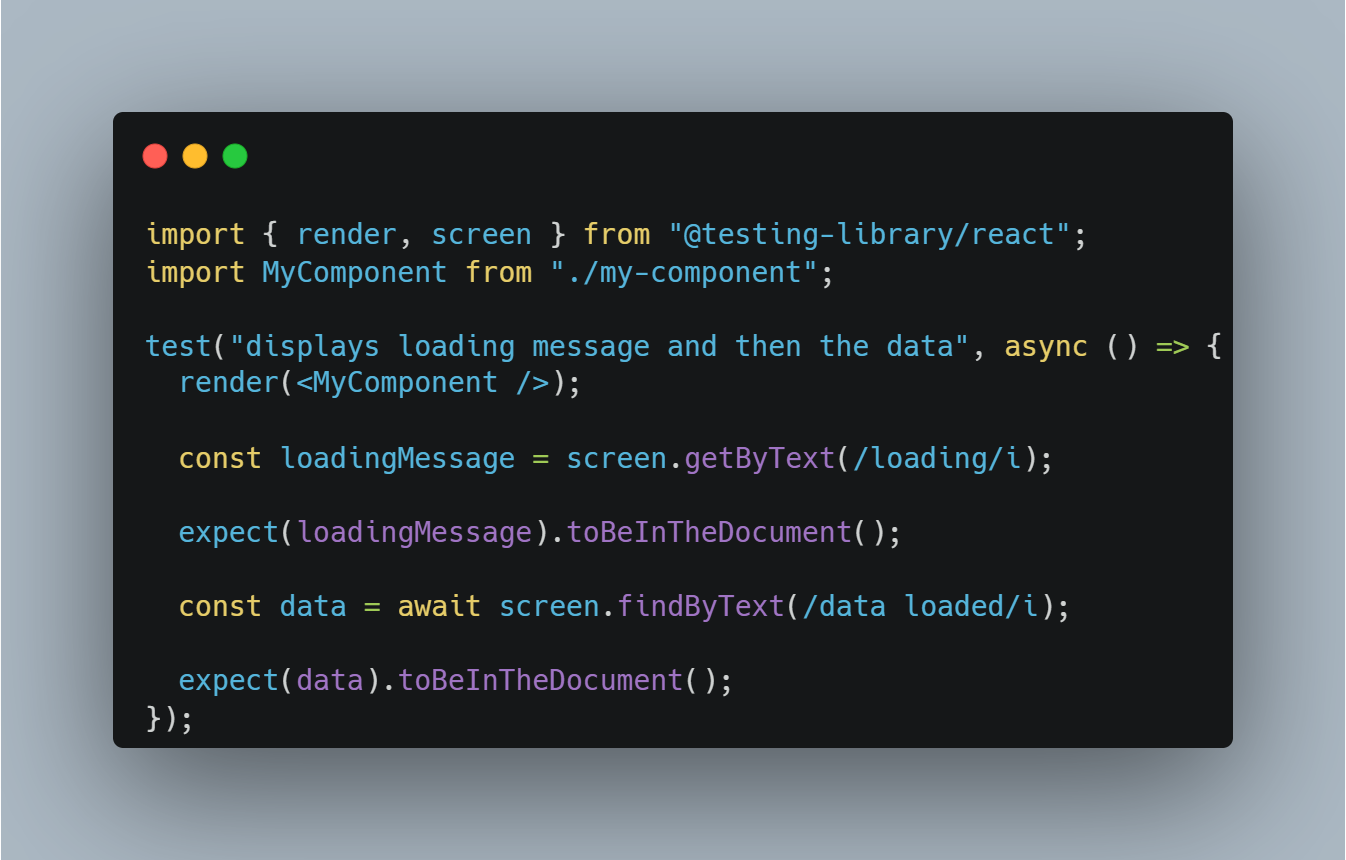
React Testing Library (RTL) is a popular tool used for testing React components. Its primary goal is to help developers write tests that closely resemble how users interact with the UI.
Why Do We Need RTL Queries?
- RTL queries are used to find elements in a rendered UI during testing.
- They help simulate user interactions by selecting elements in a way similar to how a user would perceive them—via roles, labels, text, placeholders, etc.
- RTL promotes accessible and semantic HTML by encouraging developers to use elements that have proper ARIA roles, labels, and attributes.
Steps in Testing UI with RTL
- Render the Component: Use
render()from RTL to render the component. - Query the Element: Use RTL queries like
getByRole,getByText, orgetByPlaceholderTextto find elements. - Simulate User Interaction: Use fireEvent or userEvent to simulate user actions.
- Assert the Result: Use assertions (from Jest or other testing frameworks) to check the expected outcome.
How RTL Finds Elements
RTL queries elements based on:
- Role (
getByRole): Finds elements by ARIA roles. - Text Content (
getByText,getByLabelText): Finds elements by their visible text or associated labels. - Attributes (
getByPlaceholderText,getByDisplayValue,getByAltText): Finds elements using attributes likeplaceholder,value,alt, etc.
Types of RTL Queries
getByRoleandgetAllByRolegetByTextandgetAllByTextgetByLabelTextandgetAllByLabelTextgetByPlaceholderTextandgetAllByPlaceholderTextgetByDisplayValueandgetAllByDisplayValuegetByAltTextandgetAllByAltTextgetByTitleandgetAllByTitle
Detailed Explanation of RTL Queries
1. getByRole
getByRole is one of the most important and commonly used RTL queries. It searches for elements by their ARIA role, which ensures that your UI is accessible.
What is a Role in getByRole?
Roles are accessibility attributes that describe the purpose of an element. Common roles include:
button: for<button>elements.heading: for<h1>,<h2>, etc.textbox: for<input>and<textarea>elements.
Example: Using getByRole for a Single Element
test('finds a button by role', () => {
  render(<button>Click Me</button>);
  const btn = screen.getByRole('button', { name: 'Click Me' });
  expect(btn).toBeInTheDocument();
});
Handling Multiple Elements with getByRole
When there are multiple elements with the same role, you can use the second parameter to differentiate them by their accessible name.
test('finds multiple buttons by role', () => {
  render(
    <>
      <button>Click 1</button>
      <button>Click 2</button>
    </>
  );
  const btn1 = screen.getByRole('button', { name: 'Click 1' });
  const btn2 = screen.getByRole('button', { name: 'Click 2' });

  expect(btn1).toBeInTheDocument();
  expect(btn2).toBeInTheDocument();
});
Using getAllByRole
When you want to retrieve multiple elements with the same role:
test('finds all buttons by role', () => {
  render(
    <>
      <button>Click 1</button>
      <button>Click 2</button>
    </>
  );
  const buttons = screen.getAllByRole('button');
  expect(buttons.length).toBe(2);
  buttons.forEach((btn) => expect(btn).toBeInTheDocument());
});
2. getByLabelText
getByLabelText is used to find form inputs by their associated label. This query ensures that form fields are properly labeled for accessibility.
Example: Using getByLabelText for an Input Field
test('finds an input by its label', () => {
  render(
    <div>
      <label htmlFor="name">Name</label>
      <input id="name" />
    </div>
  );
  const input = screen.getByLabelText('Name');
  expect(input).toBeInTheDocument();
});
3. getByPlaceholderText
getByPlaceholderText is useful for finding input fields by their placeholder attribute.
test('finds an input by its placeholder', () => {
  render(<input placeholder="Enter your name" />);
  const input = screen.getByPlaceholderText('Enter your name');
  expect(input).toBeInTheDocument();
});
4. getByText
getByText is used to find elements by their text content.
test('finds a paragraph by text', () => {
  render(<p>Hello World</p>);
  const paragraph = screen.getByText('Hello World');
  expect(paragraph).toBeInTheDocument();
});
5. getByDisplayValue
getByDisplayValue finds input elements by their current value.
test('finds an input by its display value', () => {
  render(<input value="John Doe" readOnly />);
  const input = screen.getByDisplayValue('John Doe');
  expect(input).toBeInTheDocument();
});
6. getByAltText
getByAltText is used to find images by their alt attribute, ensuring images are accessible.
test('finds an image by alt text', () => {
  render(<img src="logo.png" alt="Company Logo" />);
  const img = screen.getByAltText('Company Logo');
  expect(img).toBeInTheDocument();
});
Handling Non-Semantic Elements
If you have non-semantic elements (like <div> or <span>), you may need to add custom roles or use data-testid attributes.
test('finds a div with a custom role', () => {
  render(<div role="alert">This is an alert</div>);
  const alert = screen.getByRole('alert');
  expect(alert).toBeInTheDocument();
});
Overriding data-testid
You can override the default data-testid query by configuring RTL:
import { render, screen, configure } from '@testing-library/react';

configure({ testIdAttribute: 'custom-id' });

test('finds an element by custom test id', () => {
  render(<div custom-id="test-div">Hello</div>);
  const div = screen.getByTestId('test-div');
  expect(div).toBeInTheDocument();
});
Conclusion
- RTL queries ensure that tests are written in a way that reflects real user interactions.
- The most commonly used query is
getByRolebecause it encourages accessible design. - Each query has a specific use case, and understanding them will help you write more robust UI tests.
7. getAllByRole
getAllByRole is used to retrieve an array of all elements matching a specific role. This is especially useful when there are multiple elements of the same type (e.g., multiple buttons, inputs, etc.).
Why Do We Need getAllByRole?
- When multiple elements share the same role,
getByRoleonly retrieves the first matching element. - To test scenarios where you need to interact with or assert multiple elements,
getAllByRoleis necessary.
Example: Using getAllByRole to Retrieve Multiple Buttons
test('finds all buttons by role', () => {
  render(
    <>
      <button>Button 1</button>
      <button>Button 2</button>
    </>
  );

  const buttons = screen.getAllByRole('button');

  // Check that two buttons are present
  expect(buttons.length).toBe(2);

  // Loop through the buttons array and assert they are in the document
  buttons.forEach((button) => expect(button).toBeInTheDocument());
});
8. getAllByText
getAllByText retrieves all elements containing the specified text content.
Example: Using getAllByText
test('finds all paragraphs by text', () => {
  render(
    <>
      <p>Hello World</p>
      <p>Hello World</p>
    </>
  );

  const paragraphs = screen.getAllByText('Hello World');
  expect(paragraphs.length).toBe(2);

  paragraphs.forEach((para) => expect(para).toBeInTheDocument());
});
9. getAllByLabelText
getAllByLabelText is used when you have multiple input fields with the same label or similar labels.
Example: Using getAllByLabelText for Multiple Input Fields
test('finds multiple input fields by their labels', () => {
  render(
    <>
      <label htmlFor="input1">Name</label>
      <input id="input1" />
      <label htmlFor="input2">Name</label>
      <input id="input2" />
    </>
  );

  const inputs = screen.getAllByLabelText('Name');
  expect(inputs.length).toBe(2);

  inputs.forEach((input) => expect(input).toBeInTheDocument());
});
10. getAllByPlaceholderText
getAllByPlaceholderText retrieves all input fields with a specific placeholder attribute.
Example: Using getAllByPlaceholderText
test('finds multiple input fields by placeholder text', () => {
  render(
    <>
      <input placeholder="Enter your name" />
      <input placeholder="Enter your name" />
    </>
  );

  const inputs = screen.getAllByPlaceholderText('Enter your name');
  expect(inputs.length).toBe(2);

  inputs.forEach((input) => expect(input).toBeInTheDocument());
});
11. getAllByAltText
getAllByAltText is useful when you have multiple images with the same or similar alt attributes.
Example: Using getAllByAltText for Multiple Images
test('finds multiple images by alt text', () => {
  render(
    <>
      <img src="image1.png" alt="Product Image" />
      <img src="image2.png" alt="Product Image" />
    </>
  );

  const images = screen.getAllByAltText('Product Image');
  expect(images.length).toBe(2);

  images.forEach((img) => expect(img).toBeInTheDocument());
});
12. getAllByTitle
getAllByTitle retrieves all elements with a specific title attribute.
Example: Using getAllByTitle
test('finds multiple elements by title', () => {
  render(
    <>
      <div title="Tooltip">Hover over me</div>
      <div title="Tooltip">Hover over me too</div>
    </>
  );

  const elements = screen.getAllByTitle('Tooltip');
  expect(elements.length).toBe(2);

  elements.forEach((element) => expect(element).toBeInTheDocument());
});
Handling Multiple Buttons with the Same Role
In cases where you have multiple buttons with the same role, you can differentiate them using the name option.
Example: Handling Multiple Buttons by Role
test('finds multiple buttons by role with different names', () => {
  render(
    <>
      <button>Submit</button>
      <button>Cancel</button>
    </>
  );

  const submitButton = screen.getByRole('button', { name: 'Submit' });
  const cancelButton = screen.getByRole('button', { name: 'Cancel' });

  expect(submitButton).toBeInTheDocument();
  expect(cancelButton).toBeInTheDocument();
});
Handling Multiple Input Fields with Labels
When you have multiple input fields, use the label and htmlFor attributes properly so getByLabelText can differentiate between them.
Example: Differentiating Input Fields by Label
test('finds multiple input fields by different labels', () => {
  render(
    <>
      <label htmlFor="email">Email</label>
      <input id="email" />

      <label htmlFor="password">Password</label>
      <input id="password" />
    </>
  );

  const emailInput = screen.getByLabelText('Email');
  const passwordInput = screen.getByLabelText('Password');

  expect(emailInput).toBeInTheDocument();
  expect(passwordInput).toBeInTheDocument();
});
Why So Many Methods?
RTL provides many query methods because:
- Different elements may require different ways of identification (by text, label, role, etc.).
- To encourage developers to use semantic HTML and proper accessibility practices.
- To support various use cases in testing, including finding single or multiple elements, form inputs, images, etc.
Conclusion
getBy*vsgetAllBy*: UsegetBy*for single elements andgetAllBy*for multiple elements.- Always prefer queries like
getByRoleandgetByLabelTextfor better accessibility. - Use
getByPlaceholderTextandgetByDisplayValuefor form fields when labels aren’t available. - Differentiating multiple elements can be done using the
nameoption or labels.